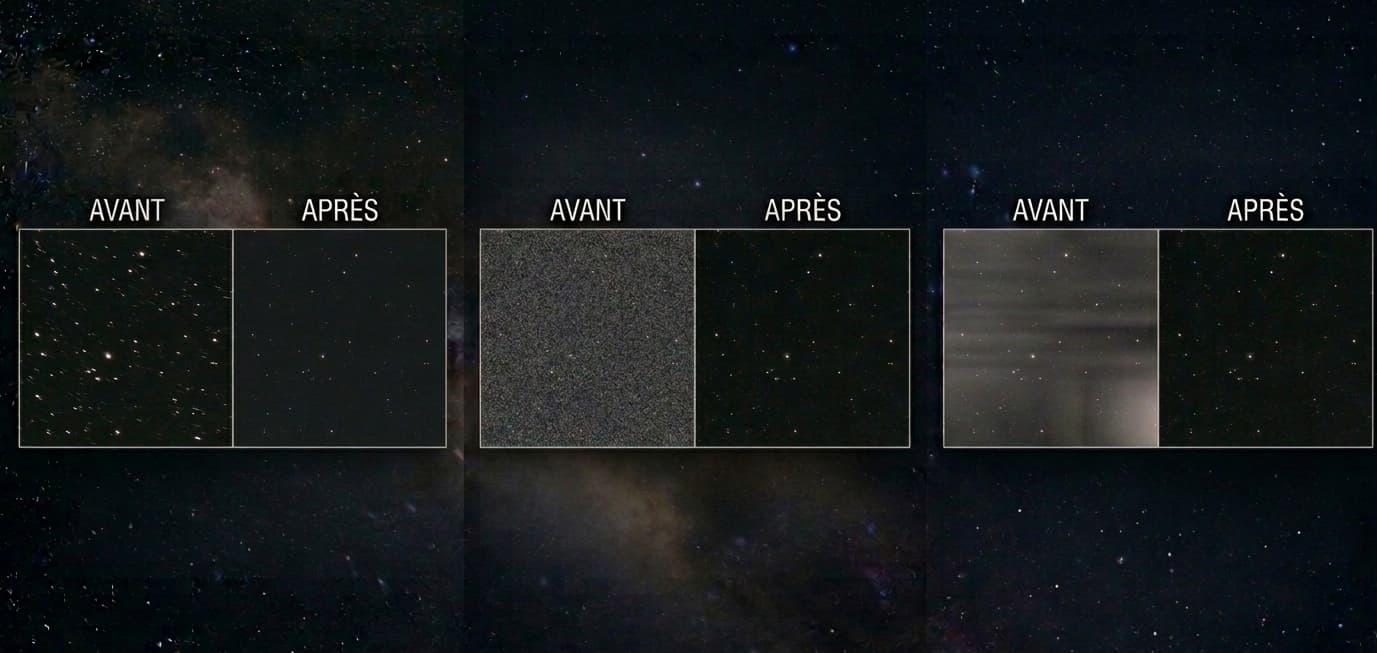
You come back from a night under the stars, load your images on the computer... and disappointment sets in. Deformed stars, a degraded sky background, an unexplained blur. Welcome to the club of frustrated astrophotographers. The good news: the vast majority of astrophotography problems have an identifiable cause and a concrete solution. You just need to know where to look.
This article walks you through diagnosing your images step by step, whether the issue is a collimation problem, sensor tilt, a failing autoguider, or simply poorly taken flats. Let's get straight to the point.
Key takeaways:
Most astrophotography problems are optical or mechanical, not digital: diagnose the optics first before trying to fix everything in post-processing.
Deformed stars, sky background gradient, tracking failure: each symptom points to a specific cause and a targeted fix.
Image processing with Siril or PixInsight can compensate for some defects, but never all of them: it is always better to capture clean data from the start.
How to Identify a Real Astrophotography Problem in Your Images
Learning to Read Your Images Correctly
Before concluding there is a problem, analyze your raw frames without any processing. Open a raw sub in Siril or PixInsight and zoom to 100%. That is where everything happens.
Examine the shape of the stars in the corners, at the center, and along the edges. Beginners in astrophotography often spend time correcting in post-processing what is actually an optical or mechanical defect that cannot be erased digitally.
Ask yourself these simple questions:
Are the stars round or deformed?
Is the problem present on all raw frames or only some of them?
Is the sky background uniform or does it show a gradient?
Uniform vs. Non-Uniform Defects: a Key Distinction
A uniform defect (present everywhere in the image) generally points to a focusing problem, a tracking issue, or atmospheric turbulence. A non-uniform defect (localized in the corners or on one edge) points more toward sensor tilt, a field corrector issue, or poor collimation.
This distinction saves a great deal of time in the diagnostic process.
Deformed Stars: the Most Common Causes
Collimation Problem: the First Thing to Check
On a Newtonian or Cassegrain telescope, telescope collimation is critical. A collimation problem produces comet-shaped stars, often asymmetric, visible primarily at the edges of the image.
To collimate correctly, use a collimation eyepiece or a laser collimator. Even a slightly off collimation is enough to ruin an entire night. On an apochromatic refractor, this problem is far less common, which is why refractors are often recommended for beginners.
Collimate your instrument when it is cold, after a few minutes of thermal equilibration outside.
Incorrect or Unstable Focus
An imprecise focus produces uniformly bloated stars across the entire image. This is a very common astrophotography problem for beginners.
Manual focusing on stars is best done with a Bahtinov mask: the diffraction spikes produced by the mask give a precise indication of the focus point. Without this tool, you are working blind.
Another trap: focus drifts during the night as temperatures change. A motorized focuser with thermal compensation solves this problem permanently. If you are using a DSLR, also remember to activate mirror lock-up to avoid vibrations at the shutter release.
Missing or Misadjusted Field Corrector (Back Focus)
Field curvature and coma are two aberrations that deform stars at the edges. A field corrector (or coma corrector for a Newtonian) is essential with a full-frame sensor or on a fast optical instrument.
However, even with a corrector in place, if the back focus distance is not respected, the stars will still be damaged. The standard back focus is often 55 mm for common field correctors, but varies by model. Measure your spacing precisely using calibrated extension rings.
An incorrect spacing of just 2-3 mm can produce significantly deformed stars at the edges of the sensor.
Sensor Tilt: Diagnosis and Correction
Sensor tilt is one of the most underestimated astrophotography problems. It manifests as deformed stars in one or two opposite corners of the image while the rest looks correct. This is different from coma, which is more symmetric.
To diagnose tilt, take an image of a dense star field at good focus and analyze the star shapes across a 9-zone grid. If one zone deviates, you have a tilt problem.
The fix requires an adjustable tilt adapter, inserted between the instrument and the astro camera. It is a delicate, often iterative adjustment, but the results are spectacular.
Symptom | Probable cause | Solution |
|---|---|---|
Comet-shaped stars at the edges | Collimation or coma | Recollimate / coma corrector |
Bloated stars everywhere | Incorrect focus | Bahtinov mask, motorized focuser |
Deformed stars in 1-2 corners | Sensor tilt | Tilt adapter |
Elongated stars in all corners | Incorrect back focus | Adjust back focus distance |
Tracking and Polar Alignment Problems
Uniformly Elongated Stars: Insufficient Tracking or Periodic Error
Uniformly elongated stars across the entire image, all pointing in the same direction, indicate a tracking problem on the equatorial mount. Causes include periodic error, mechanical backlash, or simply a poorly calibrated tracking rate.
Periodic error is inherent to any worm-gear mount. It repeats cyclically, often every 8 minutes or so. Many mounts allow periodic error correction (PEC) by training: record a correction run and the mount applies it automatically.
Field Rotation: a Symptom of Poor Polar Alignment
If your stars trace concentric arcs during long exposures, or if you notice field rotation from one frame to the next, your polar alignment is insufficient. The mount's axis is not correctly aligned with the celestial pole.
A rough polar alignment (simply eyeballing through the polar scope) may be enough for short exposures, but for multi-minute subs you need a precise method: drift alignment (King method) or plate-solving software such as SharpCap Pro or NINA.
Improving Tracking with Autoguiding
Autoguiding is the most effective way to correct tracking errors in real time on an equatorial mount. An autoguiding system consists of a guide camera and software, most commonly PHD2, which sends corrections to the mount several times per second.
Insufficient autoguiding (RMS above 1-1.5 arcseconds for long focal length work) always results in oval stars. Tune the aggressiveness and hysteresis parameters in PHD2 to match your local seeing.
Mechanical flexure between the guide camera and the main camera (differential flexure) can also fool the autoguiding system. Use an off-axis guider (OAG) to eliminate this problem at the source.
Sky Background Gradient and Calibration Problems
Poorly Taken Flats: Causes and Best Practices
A non-uniform sky background gradient after processing often indicates flats that were taken incorrectly. Flat calibration frames must be taken under the exact same optical conditions as the light frames: same camera orientation, same rotator position, same temperature.
To take good flats:
Use an electroluminescent flat panel or the twilight sky
Aim for a histogram centered at 30-50% of saturation
Take a minimum of 20 to 30 flats per session
Do not move the optics between the light frames and the flats
Always pair your flats with dark flats (or bias/offset frames) to correct for dark current during flat acquisition. These calibration frames must be stacked before stacking your light subs.
Light Pollution and Color Gradients: How to Address Them
Light pollution creates orange or greenish halos in your images, especially from urban locations. It intensifies the sky background gradient and buries nebula detail in significant noise.
Some concrete solutions:
Narrowband filters (Ha, OIII, SII): highly effective against urban light pollution
Gradient removal in Siril or PixInsight (DBE tool in PI)
Choose moonless nights and travel away from inhabited areas when possible
Other Common Astrophotography Problems
Dew on the Optics and Its Effect on Images
Dew or condensation on the front lens or field corrector produces a progressive general blur over the course of the night. Stars become diffuse and the images unusable. This astrophotography problem is often detected too late.
The preventive solution: a dew heater strap sized to the diameter of your optics. It keeps the optical surface slightly above the dew point. This is an investment of a few euros that saves entire nights.
Diffraction Spikes, Mechanical Flexure, and Digital Noise
Diffraction spikes are produced by the secondary mirror spider vanes on reflecting telescopes. They are not a defect but an optical characteristic: 4 spikes on a standard Newtonian, 6 on an instrument with a 3-vane spider. Many imagers appreciate them aesthetically.
Mechanical flexure between elements of the optical train creates shifts between frames. Check the tightening of all elements regularly. A mechanical play of a few tenths of a millimeter can significantly degrade the final result.
Digital noise (read noise, thermal noise) is addressed with darks taken at the same temperature as the light frames, and bias/offset frames for read noise. A cooled astronomy camera drastically reduces thermal noise.
Solving Astrophotography Problems Through Image Processing
Siril and PixInsight: the Essential Tools in 2026
Siril is free, powerful, and particularly well suited to astrophotography beginners. It handles image stacking, gradient removal, calibration, and basic post-processing. It is usually the first processing software recommended.
PixInsight goes further at every processing stage: precise gradient removal (DBE, ABE), advanced noise reduction, residual tilt correction, and much more. Its interface is more complex, but its results are often superior on difficult data.
Whichever software you choose, the processing order remains the same: calibrate the light frames, stack, remove gradients, process color, reduce digital noise, final processing.
When Post-Processing Can (and Cannot) Compensate for Optical Defects
Processing can correct: a moderate gradient, mild vignetting (via flats), residual digital noise, a slight color cast.
Processing cannot correct: stars deformed by a collimation problem, severe sensor tilt, elongated stars from a failing autoguider, or dew on the optics. These defects are baked into the pixels and no software truly erases them. For a complete overview, consult the full astrophotography defects glossary.
Summary: Checklist for Diagnosing Your Astrophotography Problems
Use this list before every session and when analyzing your images:
Collimation: checked and adjusted before the session?
Focus: Bahtinov mask used, focuser stable?
Back focus: spacing measured and within spec for the field corrector?
Sensor tilt: tested on a dense star field recently?
Polar alignment: precise polar alignment achieved, software used?
Autoguiding: RMS below 1 arcsecond during the session?
Flats: taken under the same optical conditions as the light frames?
Darks and bias: library up to date at the correct temperature?
Dew heater: heater strap connected and working?
Mechanical flexure: all elements properly tightened?
FAQ: Common Astrophotography Problems
Why are my stars deformed in the corners but round in the center?
This is typically a sensor tilt problem or an incorrect back focus distance. The field corrector or tilt adapter needs adjustment. Start by verifying your back focus before tackling tilt.
My stars are elongated in the same direction on all my frames. What is the cause?
Insufficient tracking on the equatorial mount. Check your polar alignment first, then activate or optimize autoguiding via PHD2. Also check your periodic error and activate PEC correction if your mount supports it.
How do I know if my problem comes from the flats?
Stack your light frames without flats and compare the result with the calibrated stack. If the sky background gradient is worse after calibration, your flats are incorrectly taken: wrong position, wrong exposure, or the camera was rotated between the light frames and the flats.
Does collimation need to be checked before every session?
On a Newtonian or Cassegrain, yes, ideally. Transport vibrations and temperature changes can shift the mirrors. A quick 5-minute collimation check before each session avoids hours of frustration.
Is autoguiding essential for getting started in astrophotography?
Not necessarily for very short exposures (under 30 seconds). But once you are targeting 2 to 5-minute subs and longer, an autoguiding system becomes almost essential for pinpoint stars. It is one of the best investments in astrophotography.
Can dew be corrected in post-processing?
No. An image with dew on the optics is unusable. The only solution is preventive: a dew heater strap. No image processing software can recover an image blurred by condensation.
Conclusion
An astrophotography problem is never a dead end. Every symptom visible in your images corresponds to a specific cause, and in the vast majority of cases, a straightforward solution exists. The key is to diagnose methodically rather than blindly correcting everything in post-processing.
Start with the fundamentals: collimation, focus, back focus, autoguiding. Only then address calibration and processing issues. By following this order, you will progress much faster and your imaging sessions will finally be rewarded with images that match your efforts. When doubt persists, you can have the Doc analyze your image for a targeted diagnosis.