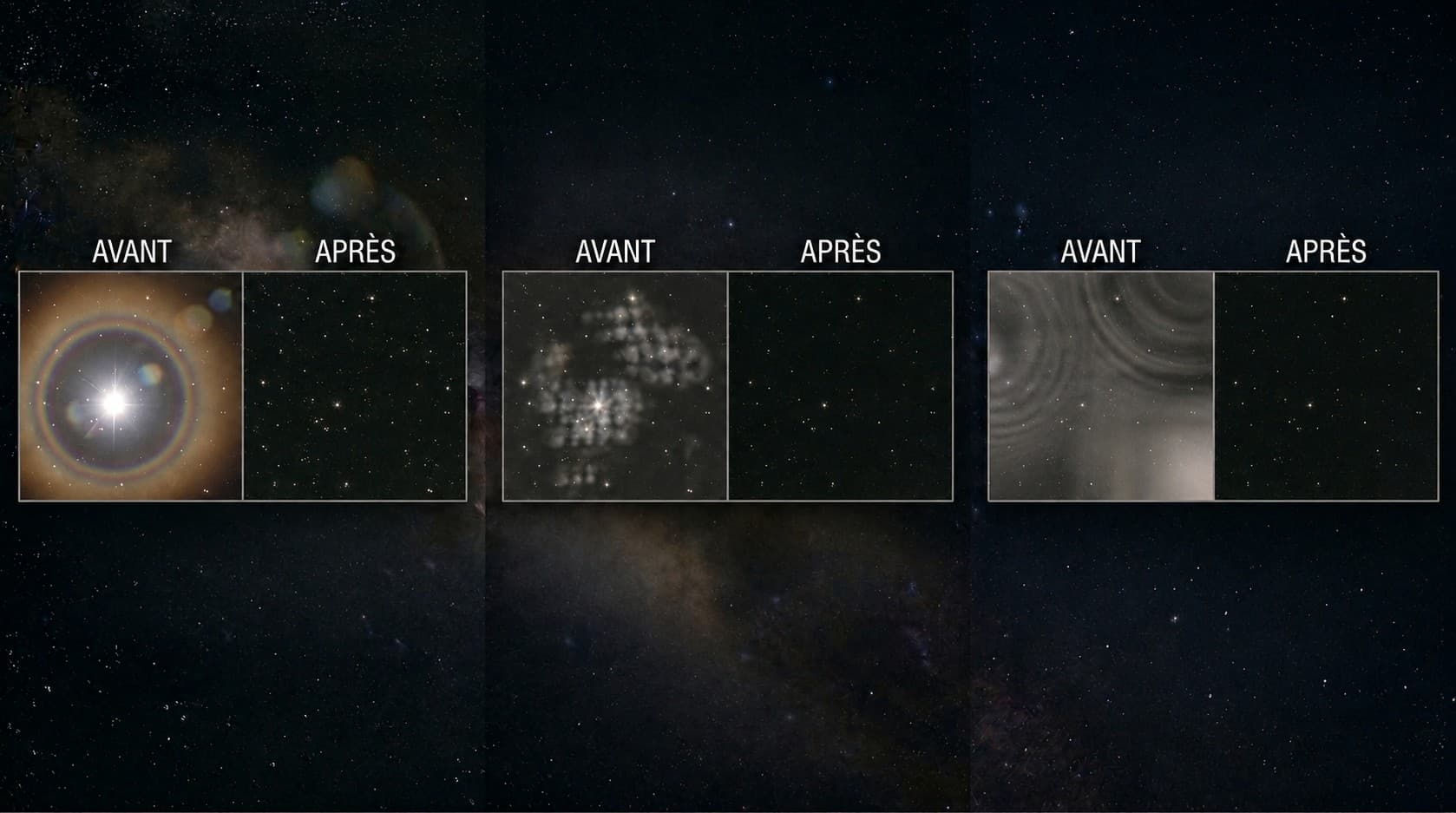
A bright star surrounded by a wide red ring, a ghost blob sitting in one corner of the field, a purple fringe bleeding around the most luminous stars... These colored artifacts have nothing to do with poor focus or a tracking defect. They do not distort the shape of your stars; they add color or light where none should be. And depending on their signature, they tell a very different story: a filter, a reflective optical surface, or a lens that fails to bring all wavelengths to the same focus point.
In this article we give you the keys to tell apart a filter halo, an internal reflection, and chromatic aberration, and then to correct each of them at acquisition and in post-processing. We will also see how to avoid confusing them with two impostors: the dark halos caused by deconvolution and the dust donuts produced by calibration frames.
Key takeaways |
|---|
1. The filter halo is a wide, diffuse red or pinkish ring around bright stars. It is typical of narrowband imaging (H-alpha, L-eXtreme) and depends on filter quality and the angle of incidence of the light cone. |
2. An internal reflection (ghost) is a phantom light patch, often symmetric with respect to the optical center relative to a bright source. It is stray light bouncing between optical surfaces. |
3. Chromatic aberration is a lens issue: diffuse purple halo (axial) or red-blue fringing at field edges (lateral). It is the hallmark of an achromat or an ED doublet pushed beyond its corrected range. |
Halo, reflection, or fringe: three families not to mix up
Before correcting anything, you need to name what you are seeing correctly. These three families of artifacts are all colored and bright, but their origins are radically different, and so are their solutions. Misdiagnosing costs you an evening cleaning your optics when the real culprit is the filter, or swapping filters when the refractor is actually the limiting factor.
One crucial point in common: none of these families distorts the shape of your stars. If your stars are elongated, stretched, or comma-shaped, you are in the wrong place: that is a tracking, collimation, or backfocus issue, and you will find everything you need in our dedicated article on elongated stars. Here we are dealing with stars that are globally round but carry an extra halo, ghost, or color fringe.
Here is the quick reference grid that will guide you through the entire article.
Artifact | Visual signature | Likely origin | Primary correction |
|---|---|---|---|
Wide, diffuse red/pinkish ring around bright stars, present across the field | Internal reflections within the narrowband filter (quality, coating, angle of incidence) | Higher-quality filter, longer focal ratio, star reduction in post-processing | |
Isolated phantom patch or ring, often symmetric to a bright source about the optical center | Stray reflection between surfaces (filter, sensor window, reducer lenses, poorly absorbing baffle) | Recompose the frame, flock the baffle, local removal in post-processing | |
Diffuse violet/blue halo around stars, present even at center | Lens failing to bring blue/violet to the same focal plane as other colors | UV/IR cut filter, defringe, upgrade to an apochromat | |
Colored fringe: red on one side of the star, blue on the other, worsening toward field edges | Slightly different magnification per wavelength off-axis | Directional defringe, matched field flattener/corrector, crop the corners |
Not sure which family your artifact belongs to? This is exactly the kind of subtle distinction where structured analysis helps: the Doc tells a filter halo from an internal reflection on your image in seconds and points you toward the right fix.
The filter halo (narrowband)
If you are shooting narrowband with an H-alpha, OIII, SII, or dual-band filter such as the L-eXtreme or L-Enhance, the filter halo is probably the artifact you encounter most often. It is frustrating because it targets precisely the brightest stars, the ones that anchor the composition of your image.
Recognizing a filter halo
The filter halo appears as a wide, diffuse ring, red or pinkish in color, centered on the brightest stars in the field. A few unmistakable signs:
It only shows up on bright stars (Vega, Deneb, the dominant stars in the field), not on faint ones.
Its color matches the filter passband: red in H-alpha, bluish/cyan in OIII.
The ring diameter is often identical for all affected stars, because it depends on the filter geometry rather than on stellar brightness.
It appears throughout the field, not confined to one corner.
The origin: intense starlight reflects between the coated surfaces of the interference filter (and sometimes the sensor window), creating a secondary ring. The quality of the filter coating and the angle of incidence of the light cone (therefore the focal ratio and back-focus distance) play a large role. A budget filter on a fast optical system (f/4 and below) is the ideal breeding ground for halos.
Reducing the filter halo
There is no single silver bullet, but a combination of approaches that push the problem back:
Filter quality, first. Premium filters with careful anti-reflection coatings (top-tier lines from reputable manufacturers) drastically reduce halos. This is the most effective investment if halos are systematically ruining your images.
Angle of incidence. A more parallel beam limits stray reflections. Working at a longer focal ratio helps, even if your current setup does not always allow it.
Sub exposure length. On some setups, shorter individual exposures saturate the cores of bright stars less, visually attenuating the halo, at the cost of a lower signal-to-noise ratio that must be compensated with more subs.
Star reduction in post-processing. Separating the star layer from the nebula layer (StarNet, StarXTerminator) and then reducing the stars mechanically pulls back the halo's visibility, since the halo follows the star.
Keep in mind: the filter halo is best addressed upstream, through the choice of equipment and optical configuration. Post-processing masks it; it does not truly erase it.
The internal reflection / ghost
The internal reflection, or ghost, is the most disorienting artifact for someone encountering it for the first time: a bright patch, sometimes a ring or a geometric shape, floating in the image without corresponding to any real sky object.
Recognizing a ghost
The defining signature of an internal reflection is symmetry about the optical center. Locate a very bright source (a brilliant star, or even the Moon just outside the field illuminating the optics): the ghost is typically found at the opposite side, symmetric to that source about the image center. Other clues:
It is an isolated patch, not a ring attached to every bright star (that would be the filter halo).
It can have a distinct shape: disk, ring, sometimes the silhouette of the aperture stop, or a defocused replica of the bright source.
Its position shifts when you reframe or rotate the camera: the ghost is tied to the optical axis, not to the sky.
It is typically unique or few in number, whereas the filter halo repeats on every bright star.
The origin: stray reflection between two optical surfaces (filter faces, sensor window, reducer lenses, or sometimes an insufficiently absorbing baffle bouncing light back). Bright light bounces back and forth and ends up forming a defocused phantom image.
Eliminating the reflection
The good news is that a ghost is often avoidable or suppressible:
Crop. If the ghost is in a corner and does not overlap your target, cropping fixes it in post-processing without sacrificing anything of interest.
Move the bright source. Recomposing to place a very bright star (or avoiding having the Moon right next to the field) often eliminates the reflection at its root.
Clean up your surfaces. A flocked baffle, a clean dew shield, and filters and windows free of dust and stray reflections reduce mechanically induced ghosts. Check the order and orientation of your filters (coated side facing the sensor or not, per the manufacturer's recommendation).
Clone in post-processing. As a last resort, a local removal technique (clone stamp, frequency separation, inpainting) erases a residual ghost when it falls on a uniform sky background area.
Chromatic aberration (achromat / ED refractor)
Chromatic aberration is the optical defect par excellence of refracting telescopes, especially achromats and, to a lesser extent, ED doublets. Glass does not refract all wavelengths equally: blue and violet refuse to converge at exactly the same point as red and green. The result is spurious color around celestial objects.
Axial (purple halo) and lateral (red-blue fringe)
Two forms exist, and they require different corrections:
Type | Appearance | Position in the field | Cause |
|---|---|---|---|
Axial (longitudinal) chromatic aberration | Diffuse violet/blue halo all around the star | Everywhere, including at center | The blue/violet focal point lies in front of or behind the green focal point |
Lateral (transverse) chromatic aberration | Asymmetric fringe: red on one side of the star, blue on the other | Nearly absent at center, worsening toward field edges | Slightly different magnification per wavelength off-axis |
The purple fringe that many people notice around bright stars with a budget refractor is typically axial chromatic aberration. When the fringe depends on position within the field and changes sides between left and right, it is lateral.
Correcting chromatic aberration
Several levers are available, from simplest to most involved:
UV/IR cut filter (and anti-halo / minus-violet filters). Blocking UV, infrared, and the violet end of the spectrum noticeably reduces the axial purple halo, because you remove the wavelengths the lens corrects most poorly. This is the highest-value action on an achromat.
Defringe in post-processing. Defringe tools (PixInsight, Photoshop, dedicated modules) remove the color fringe by selectively desaturating it. Very effective on lateral chromatic aberration, where the fringe is localized and directional.
Color calibration. Good color calibration (PCC, SPCC) does not correct optical chromatic aberration as such, but it prevents making things worse through a poorly handled color cast.
Upgrading the optics. If chromatic aberration is truly holding you back, moving to an apochromat (well-corrected APO triplet) solves the problem at the source. It is the most expensive option, to weigh against software defringing, which is often sufficient for deep-sky imaging.
A fair word about entry-level achromats and ED refractors: they remain excellent instruments for learning, and a simple UV/IR cut filter combined with confident definging produces very clean astrophotography results. Chromatic aberration is not a curse; it is a budget-to-performance trade-off to manage.
False halos from post-processing
Not every ring or halo comes from the optics or the filter. Two artifacts are regularly confused with real halos, even though they originate downstream: one in post-processing, the other in calibration. Knowing how to tell them apart saves you from hunting for a hardware culprit that does not exist.
Distinguishing them from deconvolution dark halos
When you push a deconvolution or sharpening tool too hard (BlurXTerminator above all, but also classical deconvolution), a dark ring appears around stars and sometimes along the edges of bright structures: these are deconvolution dark halos. The difference from an optical halo is clear:
They are dark, not colored or bright. It is a dip in intensity, a black ring, not a colored annulus.
They were not present in the raw frames or the stack before processing: they appear only after the deconvolution step.
Their intensity tracks the tool's setting: lower the strength and they fade.
The correction is purely software and straightforward: reduce the deconvolution aggressiveness, mask stars during that step, or redo the step with gentler parameters. This topic belongs to a broader family of processing pitfalls that you will find in the list of common astrophotography problems.
Distinguishing them from dust donuts
Dust donuts are dark rings with a bright center (the shape of a donut, hence the name), caused by a dust particle on the sensor, sensor window, or a filter, defocused by the light cone. They are sometimes confused with a halo, but:
They are fixed in the field, always at the same position frame after frame, as long as the dust does not move. They are not tied to stars.
They are gray/dark and do not depend on a bright star being underneath them.
They disappear with a proper flat-field correction, since mapping these shadows is precisely what a flat is for.
If you see donuts on your final image, the culprit is neither the filter nor the refractor: your flats are missing, outdated (the dust has moved since they were taken), or taken under different conditions. To fully understand calibration by subtraction and division, read our article on darks, offsets, and flats.
FAQ: halos, reflections, and color fringes in astrophotography
Why do my bright stars have a red ring in narrowband?
This is the classic signature of a filter halo. The intense light of a bright star reflects between the coated surfaces of your interference filter (H-alpha, L-eXtreme...) and forms a secondary red or pinkish ring. The diameter is often identical across all bright stars, because it depends on the filter geometry rather than stellar brightness. The remedies: a higher-quality filter, a slower focal ratio, and star reduction in post-processing.
How do I recognize an internal reflection (ghost)?
A ghost is an isolated phantom light patch that does not correspond to any real object. Its most reliable tell is symmetry about the optical center relative to a very bright source: locate the brilliant star, and the reflection is typically found at the opposite side about the image center. Unlike the filter halo that clings to every bright star, a ghost is unique or few in number and shifts position when you reframe or rotate the camera.
Where does the purple fringe around stars in my refractor come from?
It is axial (longitudinal) chromatic aberration, typical of achromat refractors and ED doublets pushed beyond their corrected range. The glass does not bring violet and blue to exactly the same focal plane as green and red, producing this diffuse purple halo around bright stars, present even at the center of the field. It is neither a filter artifact nor a reflection: it is the optics themselves.
Does a UV/IR cut filter reduce chromatic aberration?
Yes, and it is the highest-value action on an achromat. By blocking ultraviolet, infrared, and the violet end of the spectrum, you remove the wavelengths the lens corrects most poorly, so the axial purple halo recedes noticeably. To go further, a dedicated minus-violet filter or a defringe step in post-processing completes the work, especially for the lateral chromatic aberration at field edges.
How do I tell a filter halo from a processing halo?
Look at the color and the history. A filter halo is colored (red/pinkish in narrowband) and present from the stack, before any processing. A deconvolution halo is the opposite: dark, a black ring around the stars, appearing only after pushing a tool like BlurXTerminator. If your ring is bright and colored, look toward the filter or optics; if it is dark and appeared in post-processing, reduce the aggressiveness of your deconvolution.
Do I need to redo my flats to remove dust donuts?
Yes. Dust donuts are defocused shadows of particles on the sensor, sensor window, or a filter, and mapping those shadows for division is precisely what a flat does. If donuts persist, your flats are either missing, outdated (the dust moved since they were captured), or taken under different conditions. Retake flats immediately after your session, without disassembling the optical train, and apply them correctly during stacking.
Conclusion
Halos, reflections, and color fringes share one thing in common: they add spurious color or light without distorting the shape of your stars. Once you know how to read their signature, diagnosis becomes straightforward. A wide red ring repeated on bright stars in narrowband? Filter halo. A phantom patch symmetric to a bright source? Internal reflection. A purple fringe or a red-blue border worsening toward field edges? Chromatic aberration from your refractor. A dark ring that appeared after deconvolution, or a fixed dark donut in the field? Those are not optical halos: they are post-processing and calibration artifacts to address elsewhere.
The winning approach combines upstream and downstream action: choose a quality filter and a suitable optical configuration to limit halos, keep your surfaces clean and flocked to prevent reflections, add a UV/IR cut filter on your achromat, and reserve defringing and star reduction for the finishing touches in post-processing. And if you are still unsure of the exact nature of the artifact polluting your image, submit it to the Doc: it tells a filter halo from an internal reflection or chromatic aberration in seconds and points you toward the right correction.